

How to Turn Raw Data Into a Publication-Ready Figure
Introduction
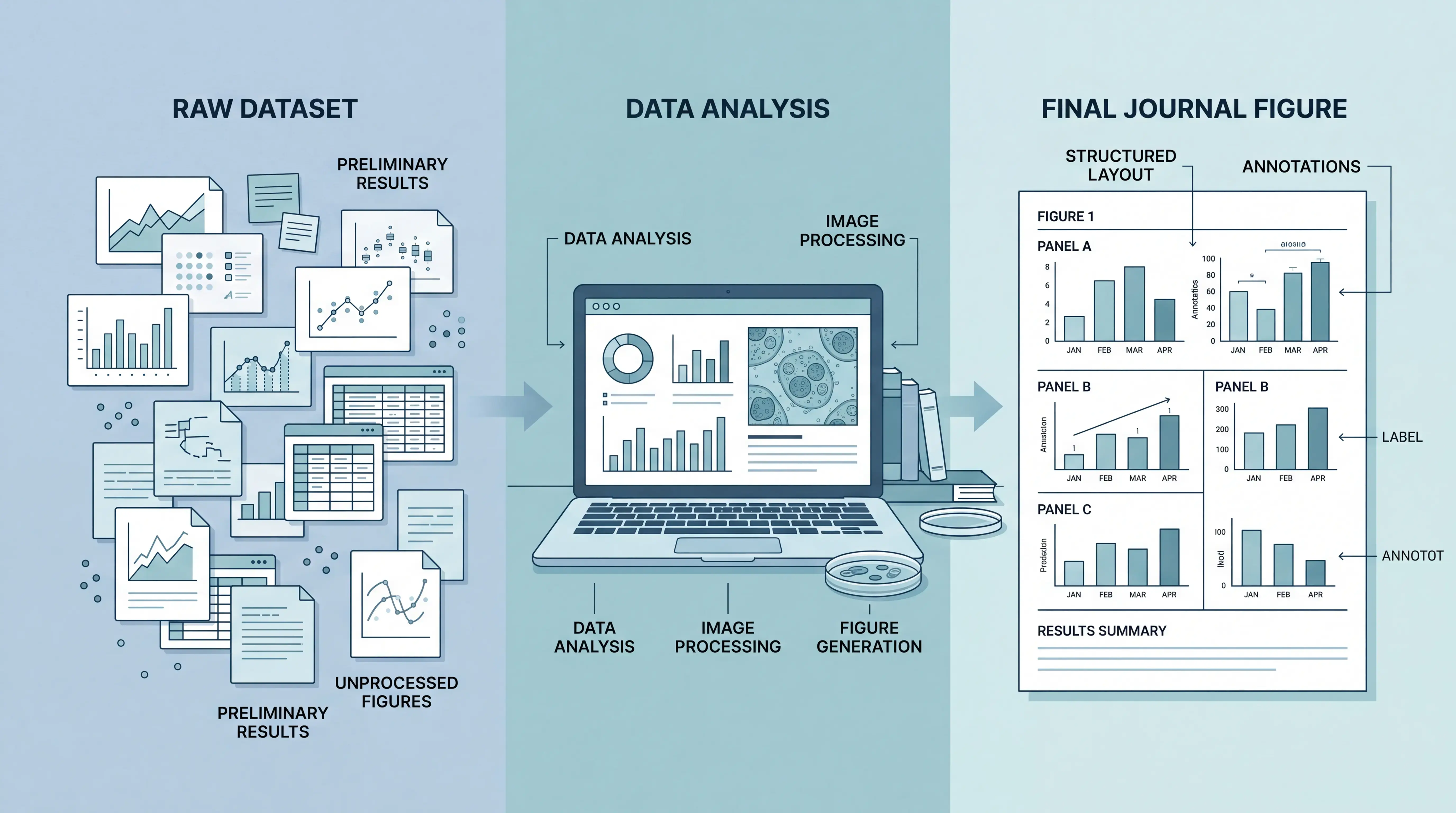
Raw data rarely looks ready for publication. It is often messy, crowded, and hard to read. For medical students, physicians, and researchers, the real challenge is turning that data into a clear essay of visual evidence that meets journal standards. A publication-ready figure is not just attractive. It must be accurate, readable, and technically compliant. In this article, you will learn how to prepare figures that journals can accept, review, and print without problems.
1. Know What Journals Expect Before You Start
1.1 Figure format matters
Most journals require figures to be submitted as separate files. They should not be embedded in the manuscript. Common accepted formats include TIFF, EPS, and sometimes PDF. For image-based figures, TIFF is often preferred. For diagrams and charts, vector formats such as EPS or PDF are safer because they stay sharp when resized.
The safest rule is simple: prepare the figure in the format the journal asks for, not the format that is easiest for you.
File naming also matters. Each file should be saved with the correct figure number. Do not include the author name in the file name.
1.2 Resolution is not optional
Low resolution is one of the most common reasons a figure gets rejected or delayed. In general, photographs should be prepared at around 300 dpi. Line drawings and statistical figures often need 600 dpi or higher. Some journals ask for even higher resolution for line art.
If you capture an image from a screen, be careful. Screen grabs are often only 96 dpi. That is usually not enough for print. A small image can be enlarged poorly, but a large original image can be reduced with much less quality loss. That is why the original size matters.
1.3 Know the difference between bitmap and vector
Bitmap images are made of pixels. When you enlarge them too much, they become blurry. Photos and microscope images are usually bitmap files. Vector graphics are built from mathematical paths and stay sharp at any size. Graphs, flowcharts, and line-based illustrations are usually vector files.
This distinction matters because it determines how the figure should be created, edited, and saved.
2. Turn Raw Data Into the Right Figure Type
2.1 Use the right visual form for the data
Not every dataset should become a figure. Some results are better shown in tables. Others should remain in text. A figure is useful when it helps the reader understand a pattern, comparison, or trend quickly.
For statistical results, common options include:
- Bar charts
- Box plots
- Line graphs
- Scatter plots
- Forest plots
For experimental or clinical images, figures may include:
- Histology images
- Radiology images
- Clinical photographs
- Microscopy images
A good figure does not replace the data. It explains the data more efficiently.
2.2 Keep the number of figures focused
In many SCI-style papers, around six figures is often enough. More is not always better. If you have many small panels, combine related images into a single composite figure. This saves space and improves readability.
Too many separate figures can make a paper feel fragmented. Too few can hide important evidence. The goal is balance.
2.3 Avoid misleading visual design
A figure can mislead readers if the scale is manipulated. For example, changing the y-axis range can make two identical datasets look very different. That does not change the data, but it changes perception.
Scientific figures should clarify the truth, not exaggerate it. Keep axis ranges, labels, and scales honest and consistent.
3. Build Statistical Figures Correctly
3.1 Start with the simplest correct graph
For many medical datasets, GraphPad is a practical choice because it is fast and produces clean results. It is often used for bar graphs, box plots, and comparison charts.
Before styling the graph, decide what question it answers:
- Are you comparing groups?
- Are you showing change over time?
- Are you displaying distribution?
- Are you visualizing correlation?
That question determines the graph type.
3.2 Include only essential elements
A good statistical figure usually needs:
- An x-axis
- A y-axis
- Axis labels
- Legend if needed
- Statistical annotation if relevant
A title inside the figure is often unnecessary for submission. Many journals prefer the title to stay in the manuscript legend, not on the image itself.
3.3 Keep fonts and line weights consistent
Professional figures look clean because they are consistent. Use the same font family across panels. Keep line thickness uniform. Align all elements carefully.
A practical standard is:
- Font size around 8 to 12 pt
- Line thickness around 0.5 to 1.5 pt
- Clear spacing between labels and axes
Consistency makes a figure look journal-ready faster than decoration does.
4. Prepare Photos, Micrographs, and Screenshots Properly
4.1 Use original images whenever possible
For clinical images, pathology slides, and microscopy figures, use the original source file whenever possible. Do not repeatedly compress or resave the image. Each extra step can reduce quality.
If the image includes a scale, use a scale bar rather than only magnification text. Many journals require this for microscopy-related images.
4.2 Handle screenshots with care
Screenshots are often the weakest type of image in a paper. If you must use one, capture it at the largest practical size. Avoid taking a small screen grab and enlarging it later.
A large, clean screenshot can often be reduced safely. A small screenshot cannot be rescued into high resolution.
If the figure must include text or arrows, add them in a professional editor, not inside a low-quality screenshot.
4.3 Use the right color mode
Some journals require RGB for color figures. Others ask for grayscale if the final printed version is black and white. Always check the journal instructions before submission. If grayscale print is expected, make sure all elements remain distinguishable without color.
That matters especially for grouped bars, overlays, and multicolor lines.
5. Combine Multiple Panels Into One Publication-Ready Figure
5.1 Plan the layout first
Composite figures are common in biomedical papers. They allow several related results to be shown together. Before assembling the panels, decide the order and logic.
A strong layout usually follows a simple pattern:
- Main result first
- Supporting image second
- Quantification third
- Statistical comparison last
This helps readers move through the figure naturally.
5.2 Align panels carefully
Misaligned panels make even good data look unprofessional. Use guides and consistent margins. Make sure all panels have equal spacing. If you resize one panel, check the font sizes again, because scaling can distort text.
When combining panels, do not let one type of graph dominate the others visually unless that is intentional.
5.3 Label panels clearly
Use capital letters such as A, B, C, and D to identify subfigures. Place them in the same position across all panels, usually the upper-left corner. Keep the label size consistent, often around 10 pt.
Clear panel labels help reviewers and readers navigate the figure without confusion.
6. Final Checks Before Submission
6.1 Check technical quality
Before you upload the file, verify:
- Correct format
- Correct resolution
- Correct file name
- Correct panel order
- No hidden author name in the file name
- No embedded figure inside the manuscript
This short checklist prevents avoidable revision requests.
6.2 Check readability at final size
A figure may look perfect on a large monitor but fail in print. Shrink the figure to the size it will appear in the journal. Then check whether the text is still readable and the data still clear.
If a label becomes too small, increase the font size before submission.
6.3 Export both working and final files
Save an editable working file and a final submission file. For example, keep a layered source file for future revision, and export a flattened file for journal upload. That way you can revise the figure later without rebuilding it from scratch.
7. Why a Tool Like SciFocus.ai Can Help
7.1 Reduce repetitive figure work
Medical researchers often lose time formatting figures instead of interpreting results. A tool like scifocus.ai can help streamline parts of the workflow, especially when you need to organize materials, prepare clearer outputs, or reduce repeated editing steps.
That is useful when deadlines are tight and journal standards are strict.
7.2 Support a cleaner publication process
The main value of a research workflow tool is not decoration. It is control. You want faster organization, fewer formatting errors, and a smoother path from raw output to submission-ready material.
If your data are already strong, the last thing you want is a weak figure to slow down acceptance. A structured tool can help reduce that risk.
7.3 Save time for interpretation
Your time should go to analysis, not endless reformatting. By using a workflow that supports better figure preparation, you can spend more energy on the scientific message behind the image.
Conclusion
Turning raw data into a publication-ready figure requires more than good design. It requires correct file format, proper resolution, consistent labels, honest scaling, and careful panel assembly. For medical students, physicians, and researchers, these details can decide whether a figure supports the paper or delays it.
If you want a smoother publication workflow, explore how scifocus.ai can help you organize research outputs and move from raw data to cleaner, submission-ready materials faster.

Did you like this article? Explore a few more related posts.
Start Your Research Journey With Scifocus Today
Create your free Scifocus account today and take your research to the next level. Experience the difference firsthand—your journey to academic excellence starts here.