
Boolean Search Operators for Academic Databases Explained
Introduction
For medical students, physicians, and researchers, the biggest search problem is not finding papers. It is finding the right papers fast. A weak query returns too many irrelevant records. A strict one misses key studies. That is why mastering essay-level search precision in academic databases matters. In this guide, you will learn how Boolean logic, field tags, wildcards, and proximity operators work in major databases like Web of Science.
1. Why Boolean Search Matters in Academic Databases
1.1 Precision and recall are the real goal
In literature searching, two metrics matter most. Recall means how many relevant papers you retrieve. Precision means how many retrieved papers are actually useful. A good search strategy balances both. If you widen a search, recall rises. Precision often falls. If you narrow it too much, precision rises but you may miss important evidence.
This matters in medicine and research. A missed systematic review, trial, or cohort study can distort conclusions. For a literature review or essay, the search strategy becomes part of the quality of the final work. That is true in PubMed, Web of Science, and other academic databases.
1.2 Search errors usually come from poor query design
Most search failures are not database failures. They come from weak structure. For example, using one term only can miss synonyms. Searching without brackets can change logic. Forgetting field limits can pull in irrelevant titles, abstracts, and author notes.
Strong search queries are built, not guessed. A structured approach saves time and improves evidence quality. This is especially important for clinicians and researchers who need fast, defensible results.
2. Core Boolean Operators You Must Know
2.1 AND, OR, and NOT
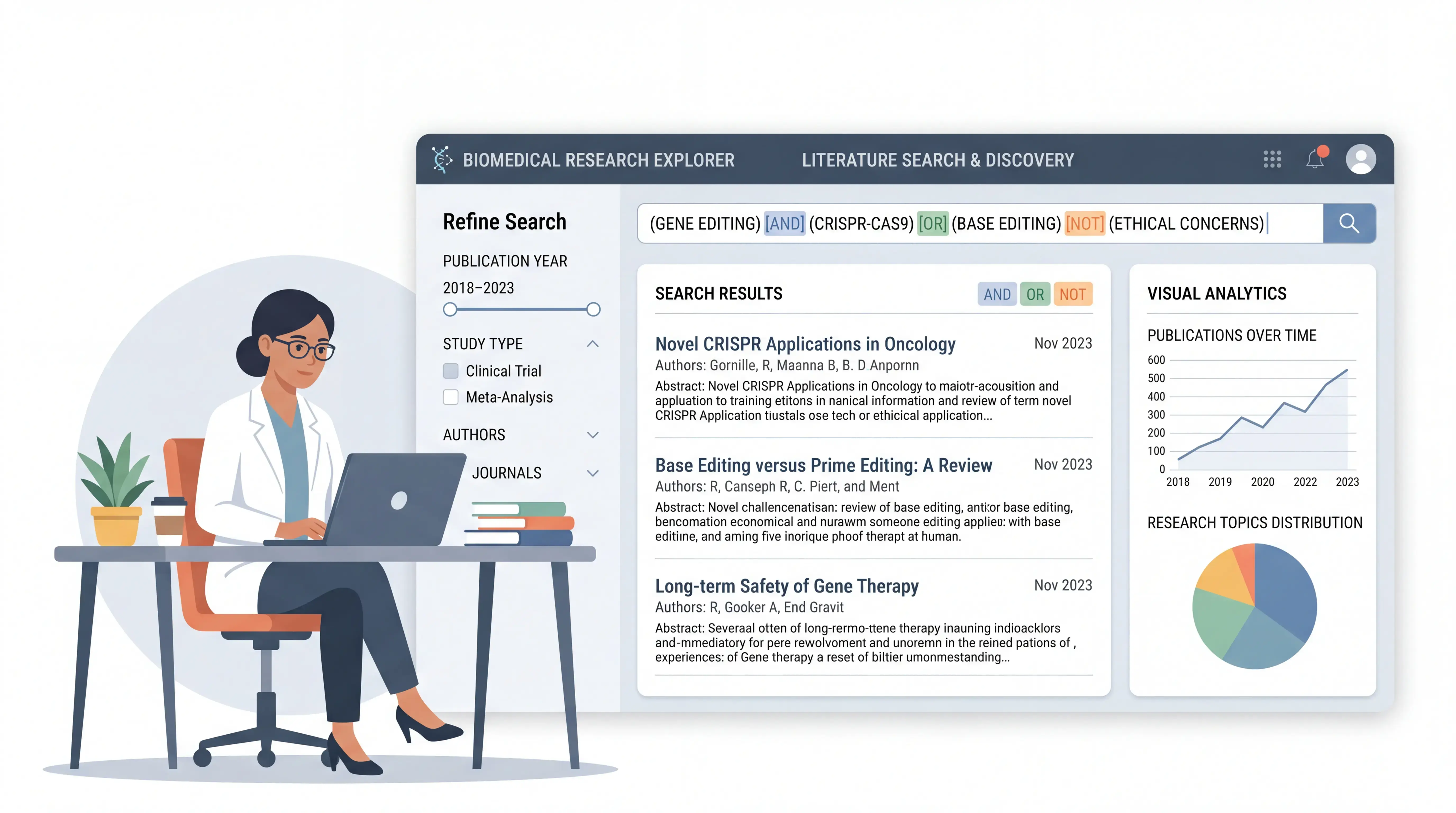
Boolean search operators are the foundation of advanced searching.
- AND retrieves records containing all terms.
- OR retrieves records containing any listed term.
- NOT excludes records containing a term.
Example:
diabetes AND insulinfinds records containing both.diabetes OR hyperglycemiabroadens the search.diabetes NOT type 1removes type 1 diabetes records.
Use AND to narrow, OR to expand, and NOT to exclude with caution. In medical searching, overusing NOT can remove useful studies by accident.
2.2 Operator priority and parentheses
Databases often process operators in a fixed order. In Web of Science, proximity operators are evaluated first, followed by SAME, NOT, AND, and OR. Parentheses change the order.
Example:
(cancer OR tumor) AND immunotherapy
This keeps the logic clear. Without parentheses, the database may interpret the search differently. For a complex essay topic, this can change the result set dramatically.
2.3 How Web of Science handles spacing
In Web of Science, search terms without a connector are treated as AND by default. That means heart failure may behave differently from what a beginner expects. Never assume the database interprets your query the same way you do. Always test the result and refine it.
3. Field Tags, Phrases, and Wildcards
3.1 Field tags help you search with control
Field tags limit where the term appears. In Web of Science, common tags include:
TIfor titleTSfor topicAUfor authorADfor addressPYfor publication yearSOfor source titleDOfor DOI
Example:
TI=asthmaTS=strokeAU=Smith J
Field searching is essential when you need high precision. A topic search is broad. A title search is narrower and often cleaner for screening.
3.2 Phrase searching keeps terms together
Use quotation marks for exact phrases. This is critical for multiword medical terms.
Examples:
"liver cancer""heart failure""systematic review"
Without quotes, the database may separate the words and return less relevant records. For technical terminology, phrase searching protects meaning.
3.3 Wildcards expand coverage
Databases use wildcards to capture word variants.
*replaces zero or more characters.?replaces one character.$replaces zero or one character.
Examples:
therap*can find therapy, therapies, therapeutic.wom?ncan find woman and women.
Wildcards are useful when spelling variants or word endings vary. Use them carefully. Too much expansion can lower precision.
4. Proximity Operators for Better Relevance
4.1 NEAR/x finds words close to each other
Web of Science includes proximity operators such as NEAR/x. This finds records where terms appear within a defined number of words.
Example:
cancer NEAR/3 immunotherapy
This retrieves records where the terms appear within three words of each other.
If you use NEAR without a number, Web of Science searches for terms within fewer than 15 words. Proximity searching is powerful when a topic is discussed using flexible language.
4.2 SAME is useful in address searching
In Web of Science, SAME limits terms to the same address field. If used outside address searching, it acts like AND. This is helpful when you need institution-level targeting.
Example:
AD=(Harvard SAME Medicine)
This is useful for collaboration mapping, institutional analysis, and author affiliation checks.
4.3 Why proximity improves relevance
Many medical concepts are discussed with different wording. For example, “risk factors for stroke” and “stroke risk factors” may describe the same idea. Proximity operators help capture both without listing every possible phrase.
This can improve both recall and precision at the same time.
5. A Practical Workflow for Academic Searching
5.1 Start with broad concepts
Begin with the main idea and its synonyms. If your topic is cancer immunotherapy, list related terms first:
- cancer
- tumor
- malignancy
- immunotherapy
- immune checkpoint blockade
Then combine them with OR and AND.
Example:
(cancer OR tumor OR malignancy) AND (immunotherapy OR "immune checkpoint blockade")
This gives you a structured base search.
5.2 Refine by field and date
Next, narrow the search with field tags and time limits. In Web of Science, you can set publication year filters and sort by relevance, citations, or usage.
A practical refinement path is:
- Search broad terms.
- Review results.
- Add synonyms.
- Use title or topic limits.
- Apply year or document type filters.
- Check high-impact papers and citation patterns.
This is the same workflow used in serious evidence retrieval.
5.3 Use analysis tools after retrieval
Web of Science provides useful post-search tools. You can analyze results by research area, year, author, institution, country, or source title. You can also create citation reports, as long as the record count stays within the system limit.
This helps you identify:
- leading researchers
- active institutions
- emerging topics
- high-citation papers
For a medical essay or research review, this step strengthens background analysis and topic framing.
6. Web of Science Examples for Medical Users
6.1 Searching a disease topic
Suppose you want papers on liver cancer. You can search:
TS="liver cancer"
But to improve recall, add variants:
TS=("liver cancer" OR hepatocellular carcinoma OR HCC)
This covers both common language and technical terminology. That is a better academic search strategy than relying on one phrase alone.
6.2 Searching an author or institution
If you want all papers by a specific researcher, use author search. For example, Web of Science can help identify a scholar’s full output when names are entered carefully with affiliation details.
This is useful for:
- faculty review
- collaboration mapping
- expert identification
- citation tracking
You can then analyze publication trends and citation impact.
6.3 Tracking cited references
Cited reference search helps you see who has cited a specific paper and how it has influenced the field. This is important when evaluating a foundational study, a method paper, or a landmark clinical article.
Citation context often tells you more than raw counts. It shows whether a paper is still shaping current research.
7. Common Mistakes to Avoid
7.1 Searching too narrowly
If you search only one exact phrase, you may miss papers that use different terminology. Medical language changes by journal, region, and discipline.
7.2 Using NOT too aggressively
NOT can remove useful records. For example, excluding one term may accidentally delete papers you actually need.
7.3 Ignoring synonyms and abbreviations
Many medical topics have multiple forms:
- full term
- abbreviation
- synonym
- spelling variant
If you do not include them, your search is incomplete.
7.4 Forgetting to test the query
A search string should be checked, refined, and rerun. Good academic searching is iterative. One draft is rarely enough.
8. How SciFocus Can Streamline the Search Process
8.1 Reduce manual search friction
Building complex searches takes time. You need synonyms, field tags, grouping, and careful logic. This is exactly where scifocus.ai can help. It supports smarter search workflows so you spend less time assembling queries and more time reading evidence.
8.2 Improve speed and consistency
For medical students, doctors, and researchers, speed matters. So does consistency across projects. A tool like scifocus.ai can support structured searching, cleaner query building, and faster literature discovery. That makes it easier to move from topic idea to usable evidence.
8.3 Support better research output
A good search process improves the quality of your essay, review, or manuscript. If your database search is clearer, your screening is faster and your argument is stronger. That is why an efficient search workflow is not optional. It is part of research quality.
Conclusion
Boolean search operators are not just technical details. They are the core of efficient academic searching. AND narrows, OR expands, NOT excludes, and parentheses protect meaning. Field tags, phrase searching, wildcards, and proximity operators make your search more precise. For medical users, this means faster access to better evidence and fewer missed studies. If you want a more efficient way to build and manage searches, explore scifocus.ai and streamline your next literature review, research project, or essay.

Did you like this article? Explore a few more related posts.
Start Your Research Journey With Scifocus Today
Create your free Scifocus account today and take your research to the next level. Experience the difference firsthand—your journey to academic excellence starts here.